


Save recipes from TikTok
TikTok recipe videos work with Import from social on iOS and Android and Paste Recipe Link on web. MyMealVault looks for a recipe in the TikTok caption or a recipe link mentioned in the post.
On mobile (iOS and Android)
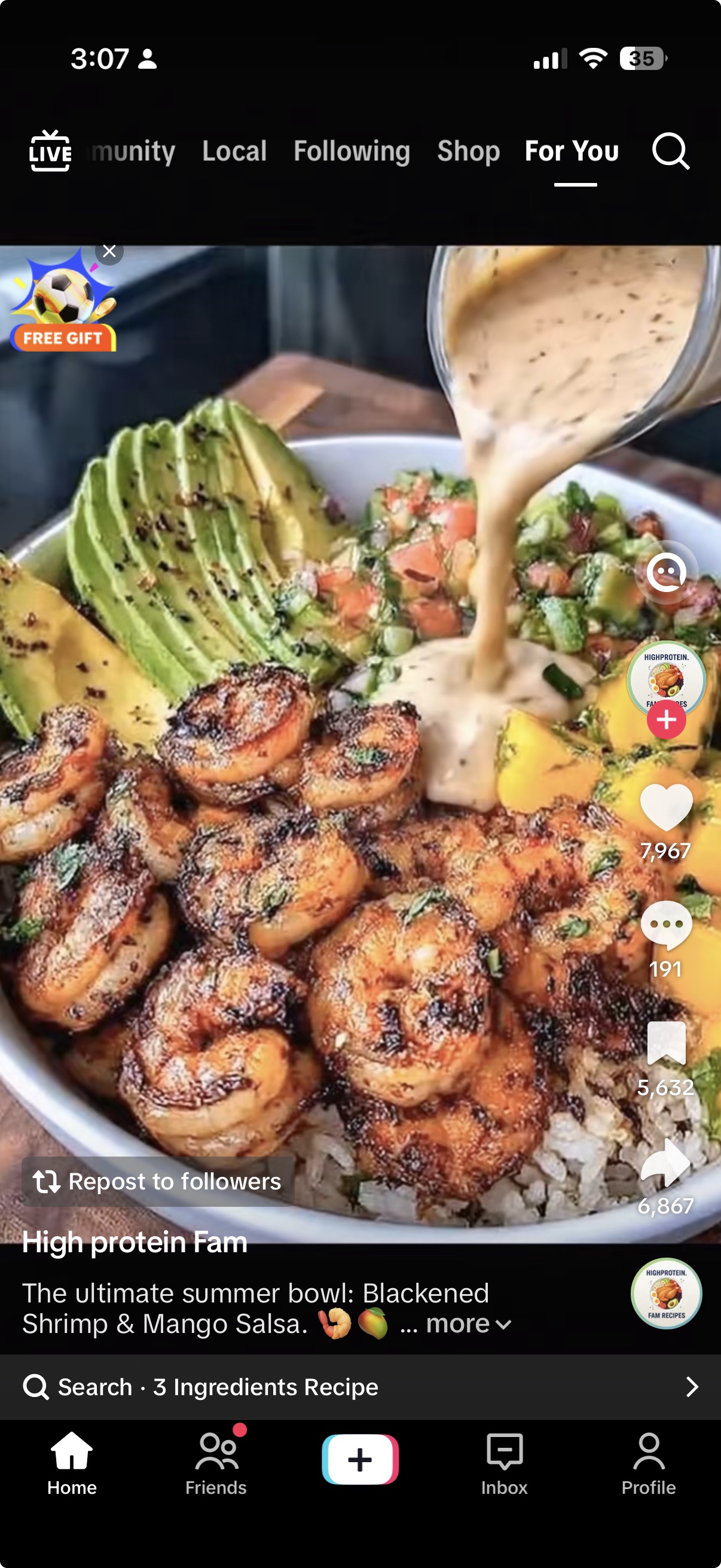
Tap the share icon
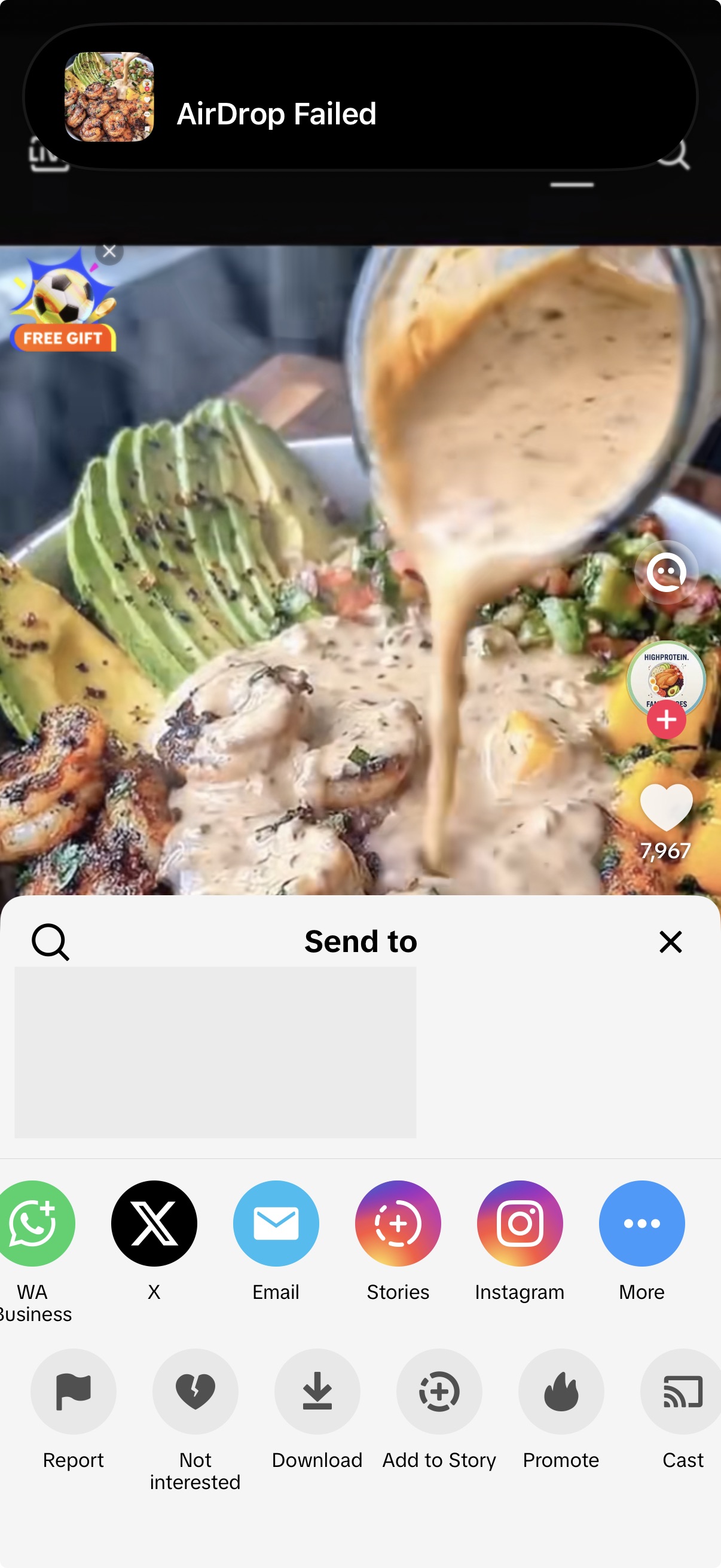
In TikTok, open the recipe video and tap the share icon.Tap MyMealVault
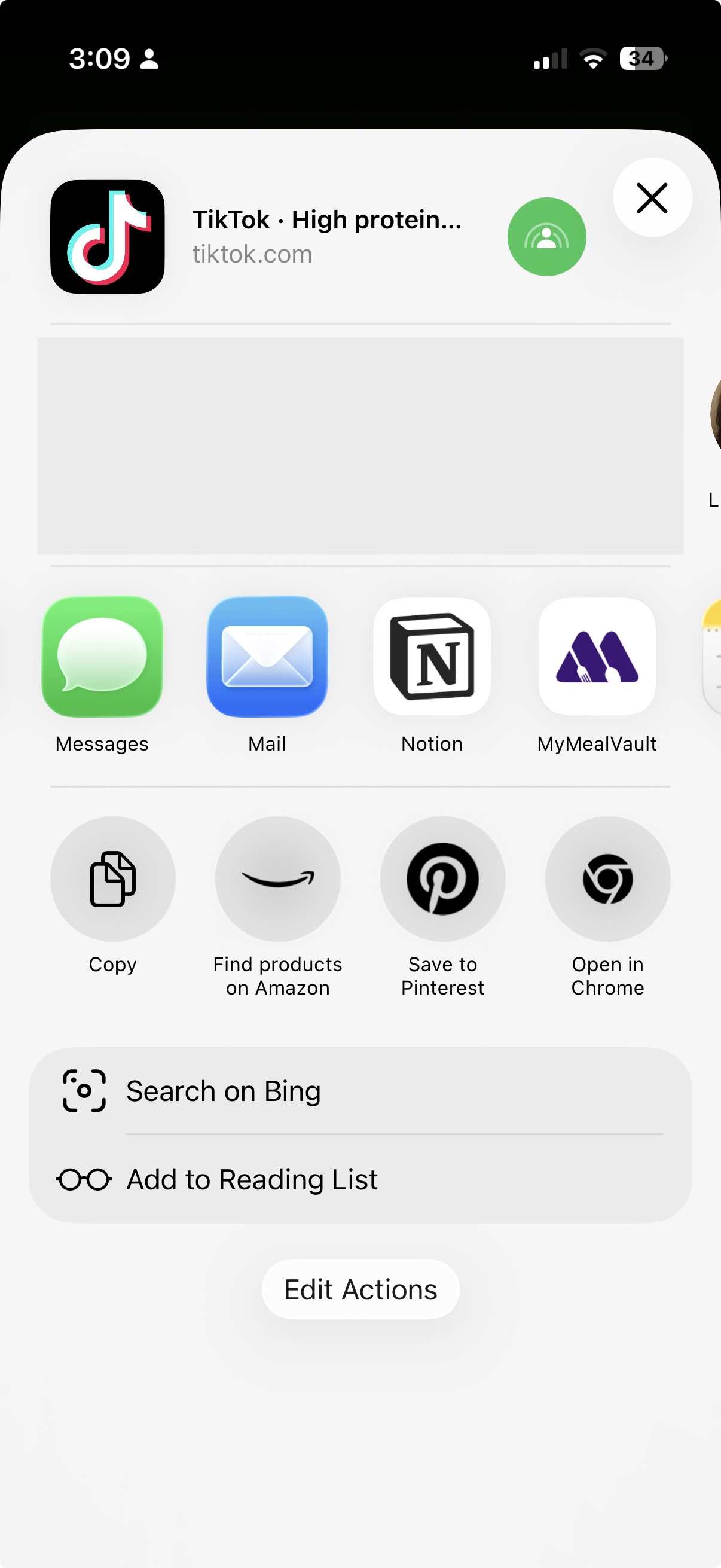
Choose MyMealVault from the share sheet. If you do not see it, scroll through the app options and add it to your favorites.Open MyMealVault
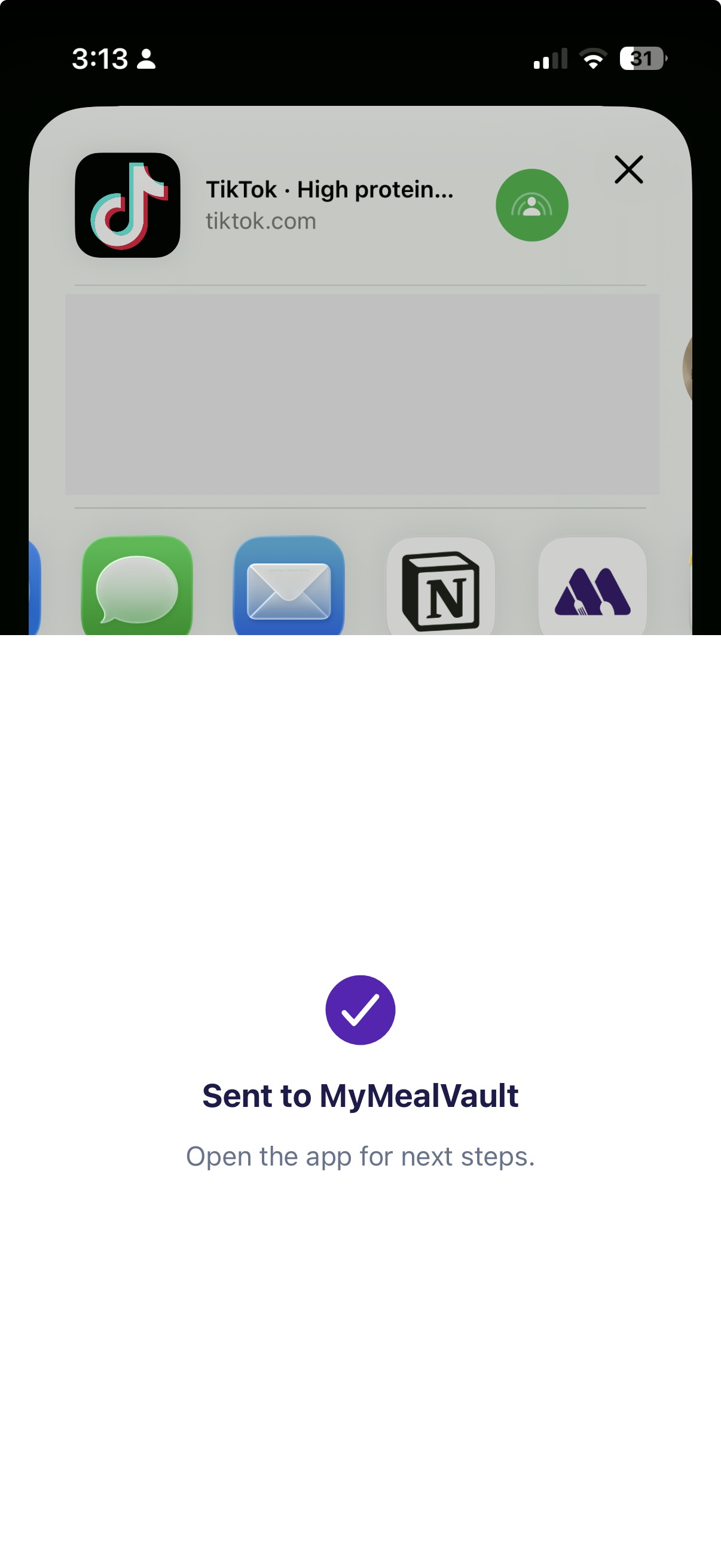
MyMealVault opens the Add Recipe flow and starts looking for a recipe in this TikTok.Add to your vault
When the import is ready, review the recipe and save it to your vault.
Save from TikTok on iPhone
Send the TikTok link to MyMealVault from the share sheet.
On web
Copy the TikTok URL
From TikTok, copy the video link.Open Paste Recipe Link
In MyMealVault, click + Add recipe and choose Paste Recipe Link.Paste the URL
Paste the TikTok URL into Recipe URL.Add to your vault
Click Add to your vault and wait while MyMealVault looks for a recipe in this TikTok.
Step-by-step screenshots and platform tips are in the Help guide for TikTok.
Ready to save your first recipe?
Try it now